AI HR software that asks before it acts
BookYourPTO is HR software for leave, time, scheduling, expenses and documents, with an AI assistant built in. It answers from your organization’s records and prepares changes for you to approve, using only the permissions you already have.
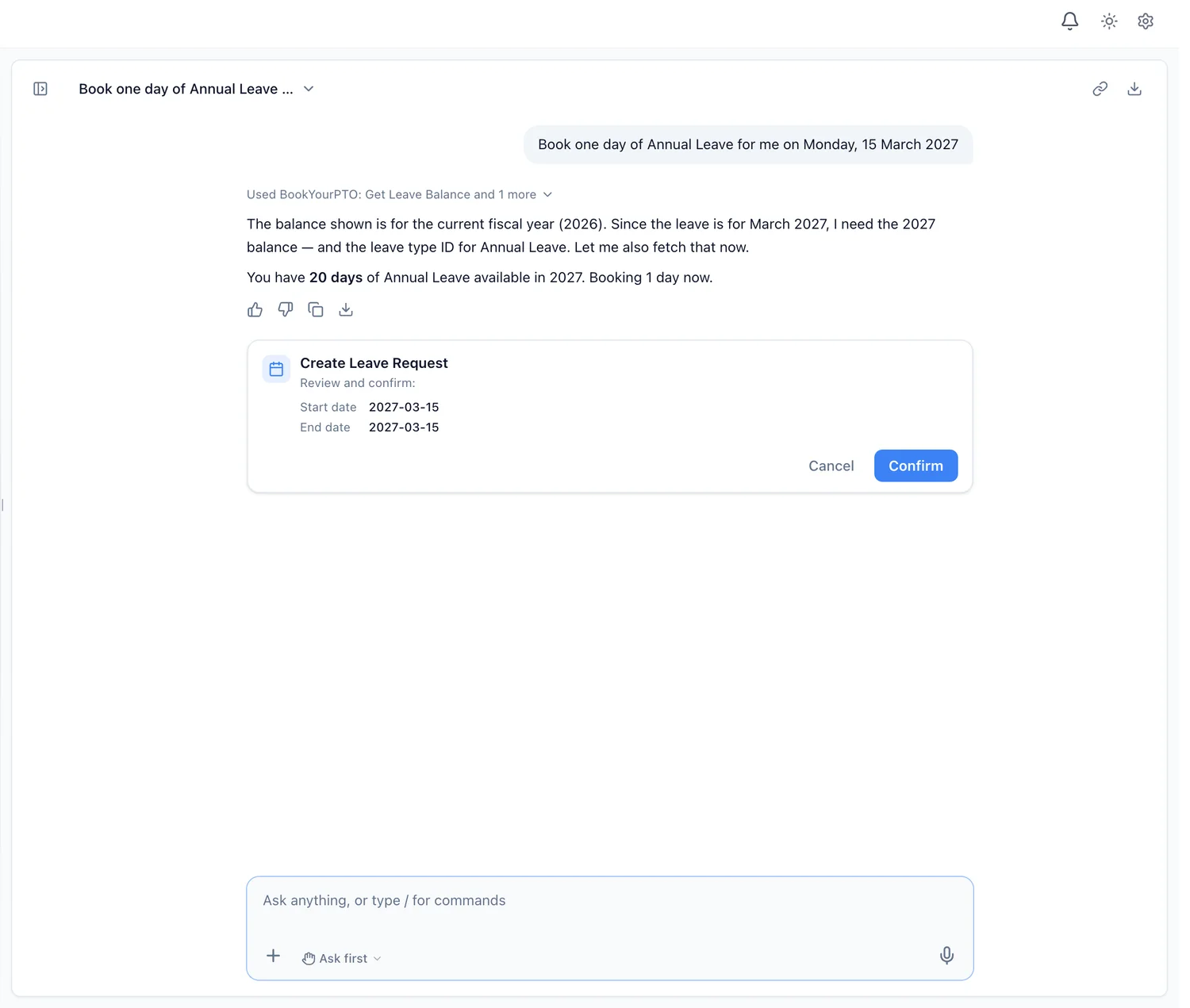
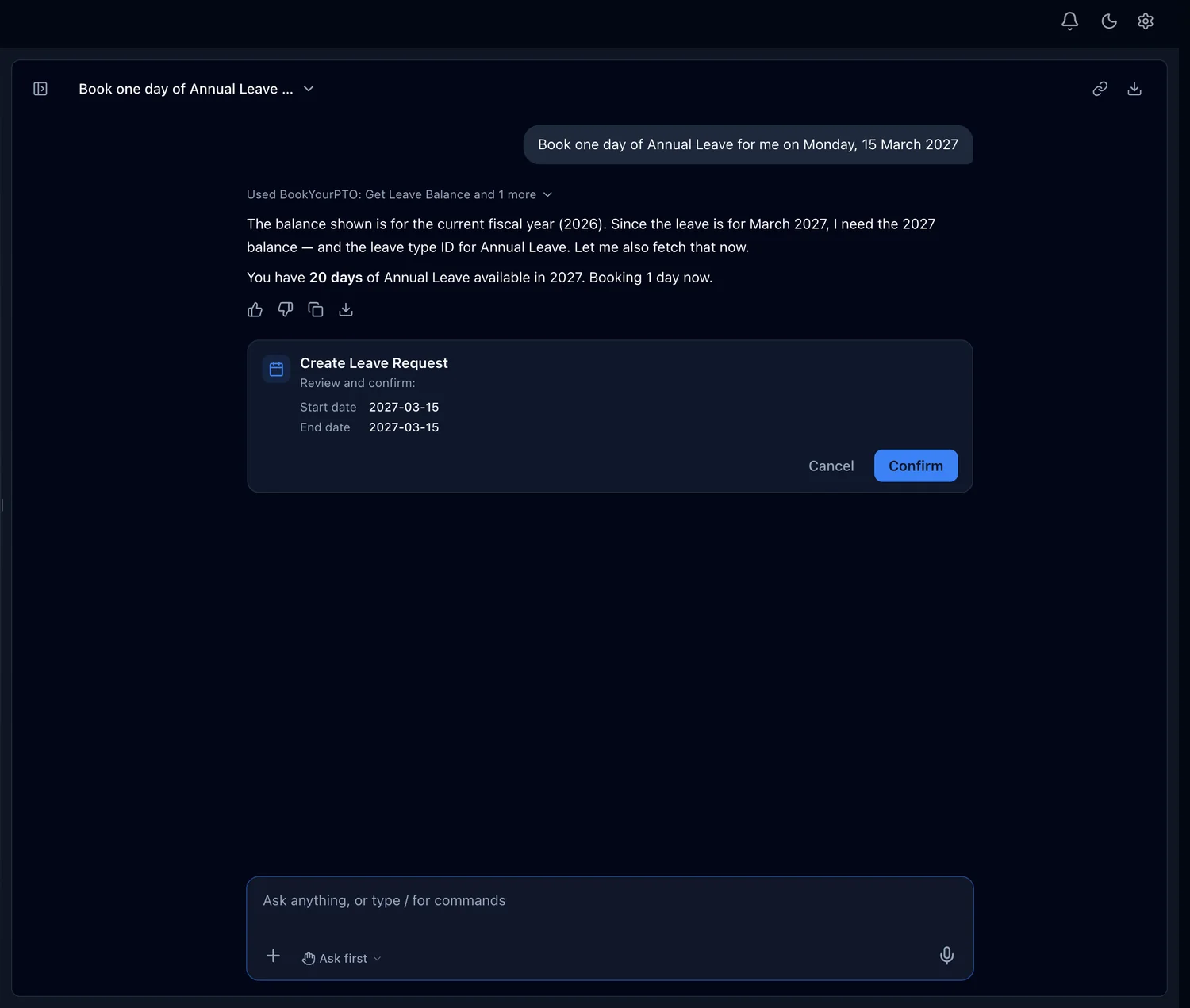
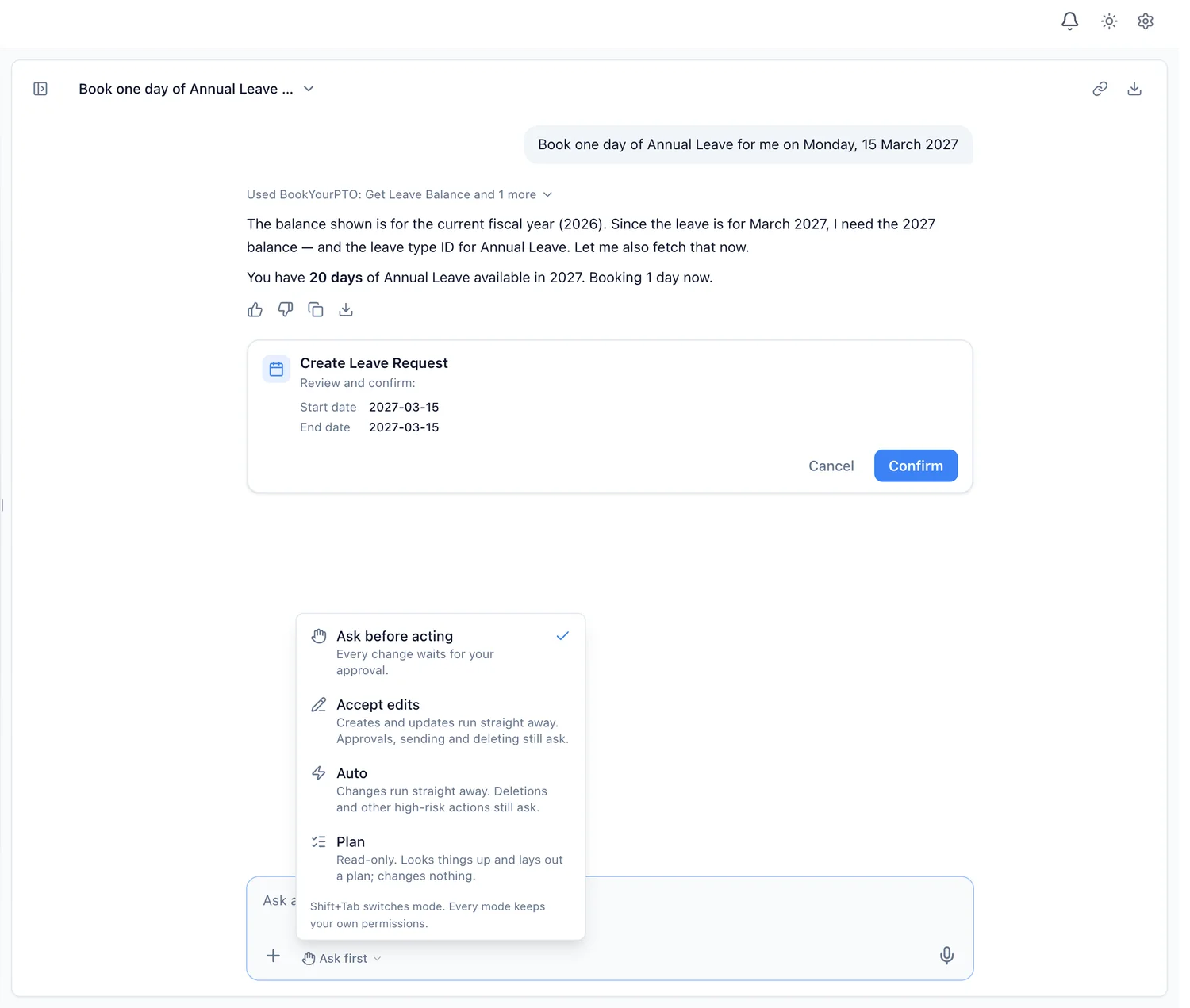
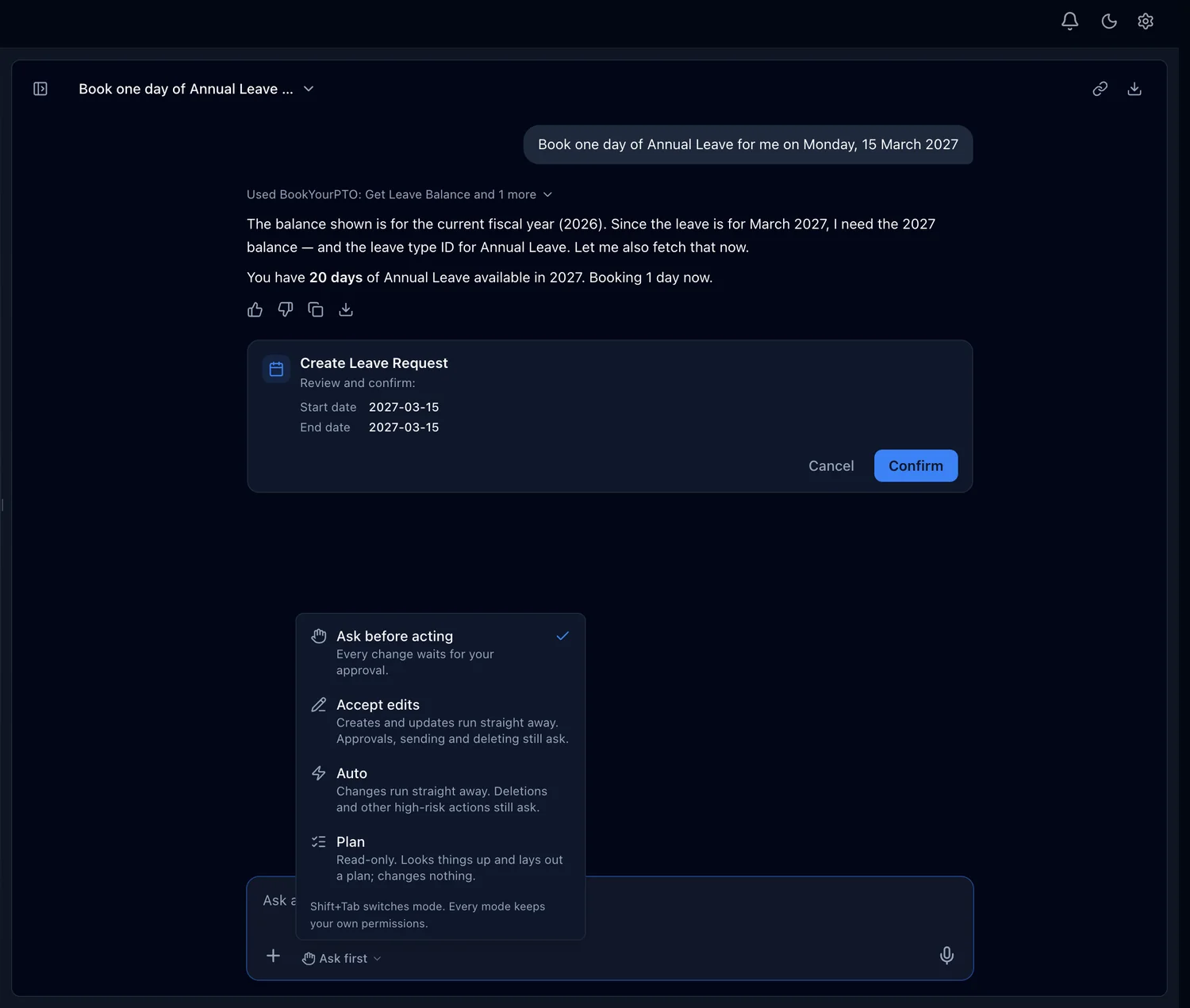
A change prepared by the assistant. Nothing is booked until the person presses Confirm.
What is AI HR software?
AI HR software is an HR system that uses AI to answer questions and take on routine HR work, from reading a receipt to booking a day off. It comes in three kinds, and the difference between them is what the AI is allowed to see and change.
AI features inside a screen
One job done by a model inside an ordinary page: reading a receipt, suggesting a category, summarizing a document. Useful, narrow and easy to check.
HR chatbots
A chat window that answers questions, usually from a policy handbook or an FAQ. When the answer needs an action, it hands you a link or opens a ticket.
Assistants that act
An assistant that reads live records and can make changes in the HR system, such as booking leave or filing an expense. This is where permissions and approvals decide whether it is safe.
BookYourPTO does all three: receipt scanning on the Expenses page, answers to questions, and an assistant that acts, called BookYourPTO Intelligence.
An HR chatbot answers. An assistant acts.
An assistant that can change records is more useful than a chatbot, which is exactly why permissions and approvals matter more.
Where answers come from
- Question-and-answer chatbot
- A handbook, an FAQ or a knowledge base
- Assistant that acts
- Your organization’s live records: balances, requests, shifts, claims
What it can change
- Question-and-answer chatbot
- Nothing; it links you to the right page
- Assistant that acts
- Leave, expenses, timesheets, shifts and more, once you approve
Whose access it uses
- Question-and-answer chatbot
- Little beyond the handbook it reads
- Assistant that acts
- In BookYourPTO, only the signed-in person’s own permissions
How changes happen
- Question-and-answer chatbot
- You make them yourself on another screen
- Assistant that acts
- A card shows the exact change; you confirm or cancel
Deletions and other actions that cannot be undone
- Question-and-answer chatbot
- Not applicable
- Assistant that acts
- In BookYourPTO, they ask for approval in every mode
Rules and limits
- Question-and-answer chatbot
- Described in its answer
- Assistant that acts
- Enforced by the same checks as the app’s own forms
| Question-and-answer chatbot | Assistant that acts | |
|---|---|---|
| Where answers come from | A handbook, an FAQ or a knowledge base | Your organization’s live records: balances, requests, shifts, claims |
| What it can change | Nothing; it links you to the right page | Leave, expenses, timesheets, shifts and more, once you approve |
| Whose access it uses | Little beyond the handbook it reads | In BookYourPTO, only the signed-in person’s own permissions |
| How changes happen | You make them yourself on another screen | A card shows the exact change; you confirm or cancel |
| Deletions and other actions that cannot be undone | Not applicable | In BookYourPTO, they ask for approval in every mode |
| Rules and limits | Described in its answer | Enforced by the same checks as the app’s own forms |
What AI does in BookYourPTO today
One assistant across leave, time, scheduling, expenses and documents, working from the same records as the rest of the app.
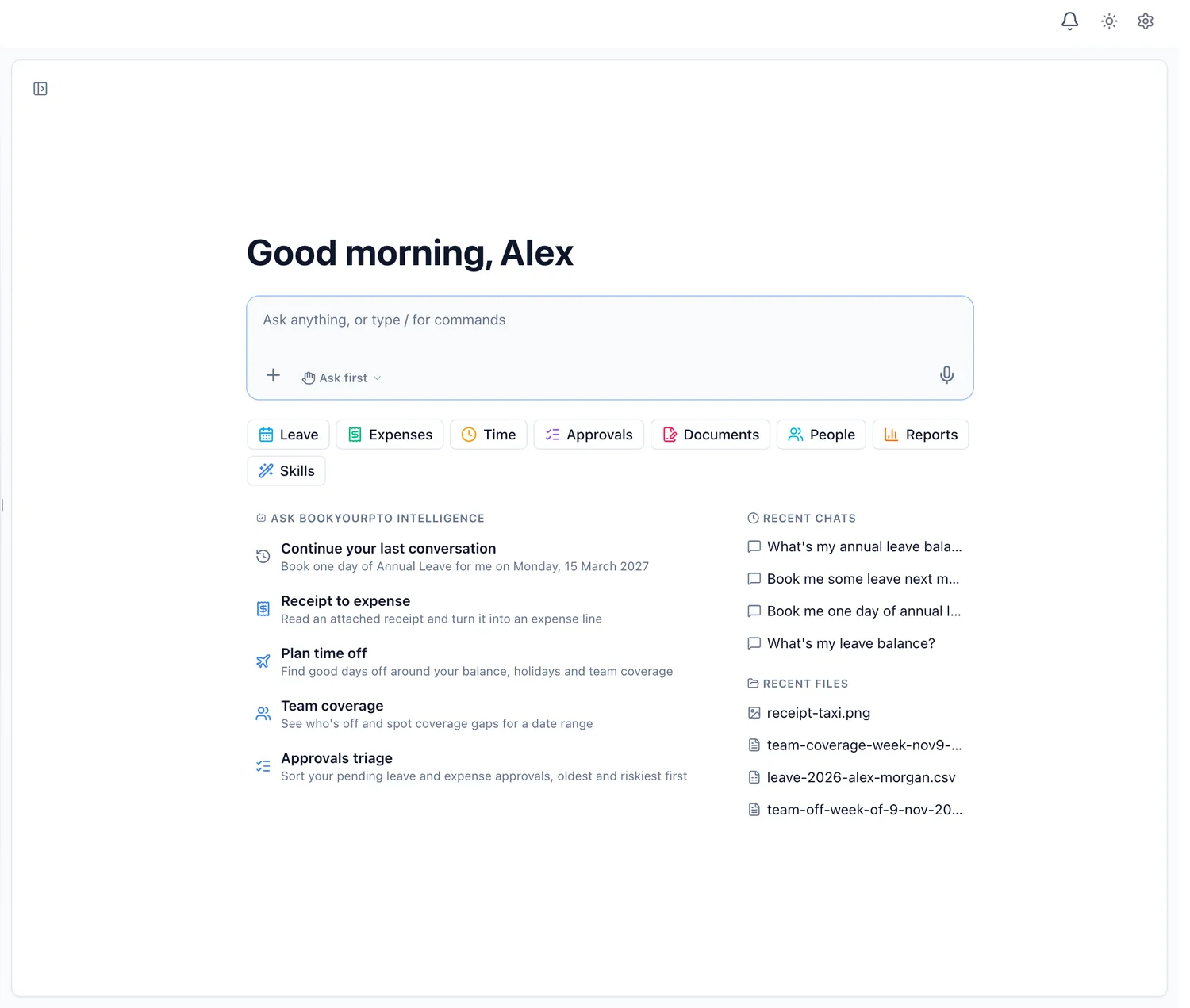
Book time off in a sentence, and approve it yourself
- Checks your balance for the right year before preparing the request
- Plans a week off around your balance, public holidays and who else is away
- The request goes through the same rules as the form, and waits for your Confirm
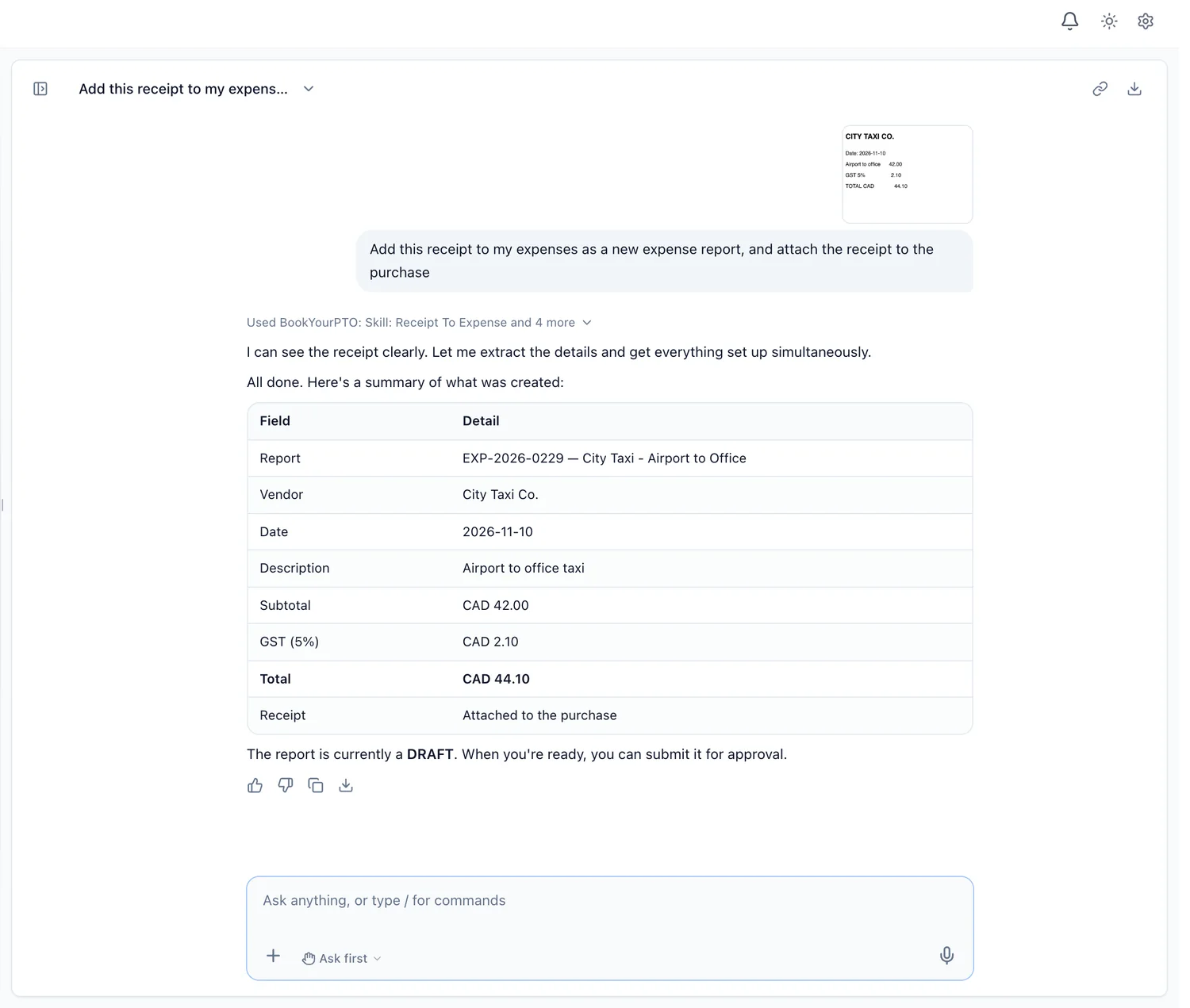
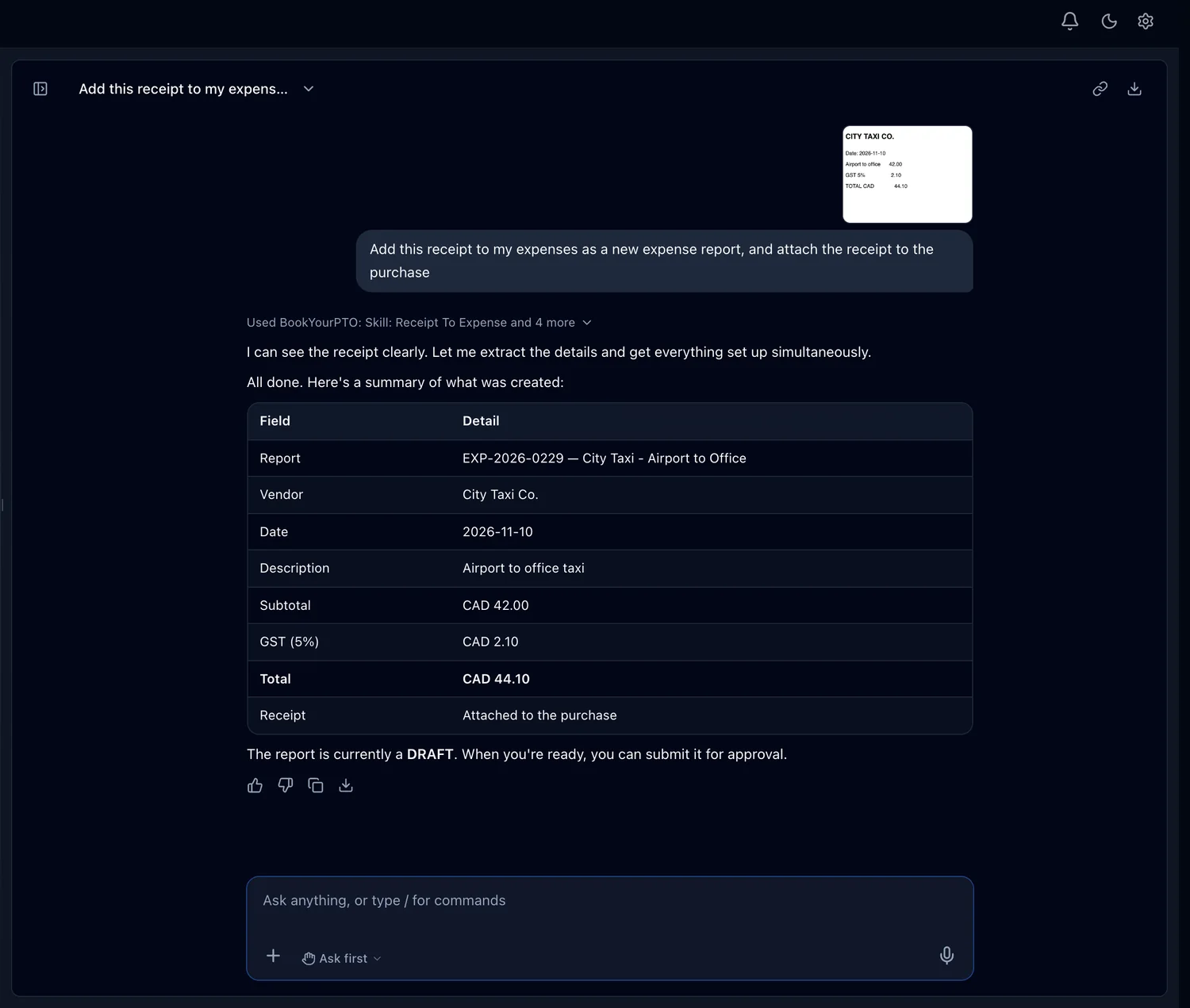
Turn a receipt into an expense
- Attach a photo or PDF of a receipt in the chat and ask it to add the expense
- It reads the vendor, date, taxes and total, and files a draft with the receipt attached
- The claim stays a draft until you choose to submit it
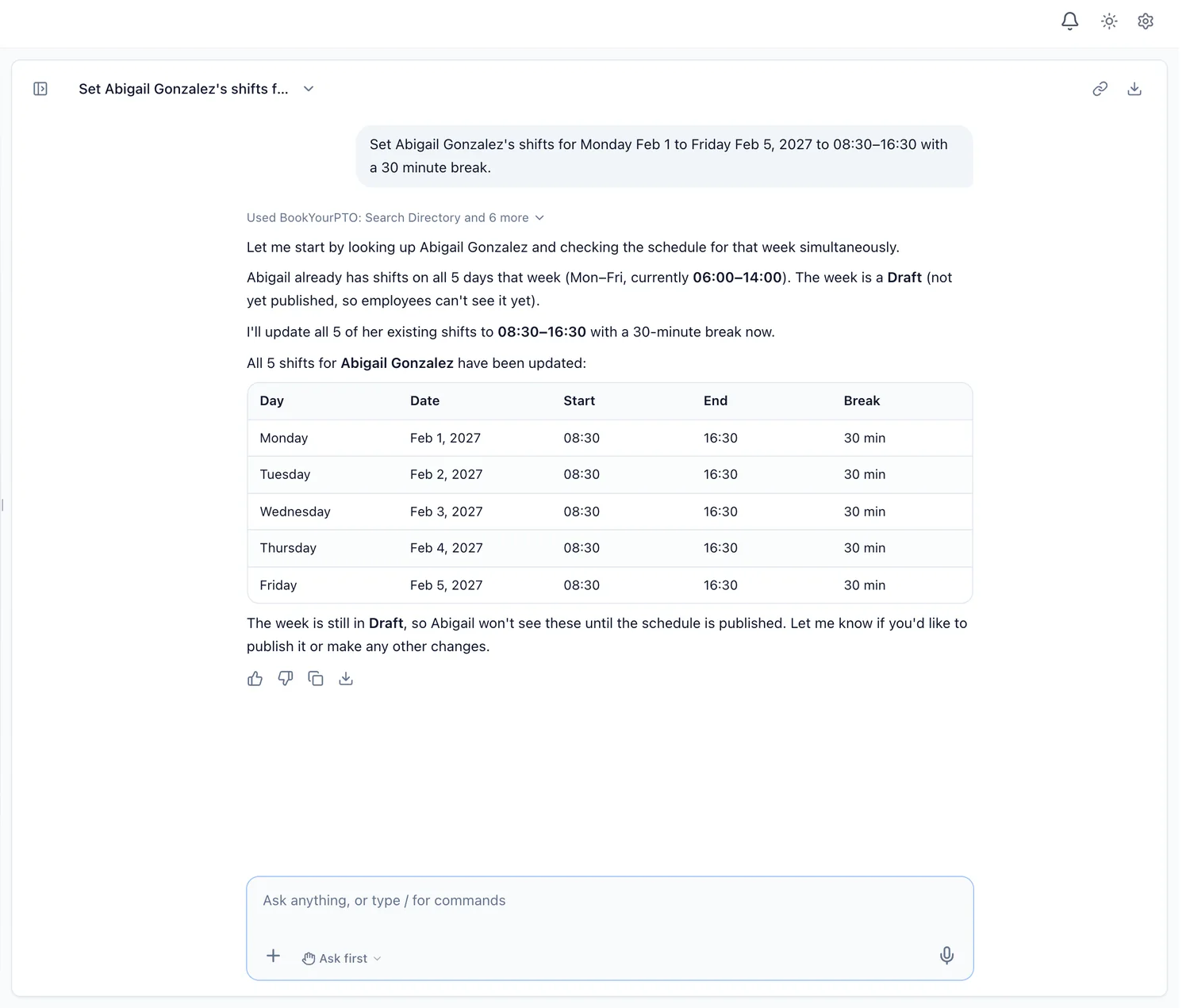
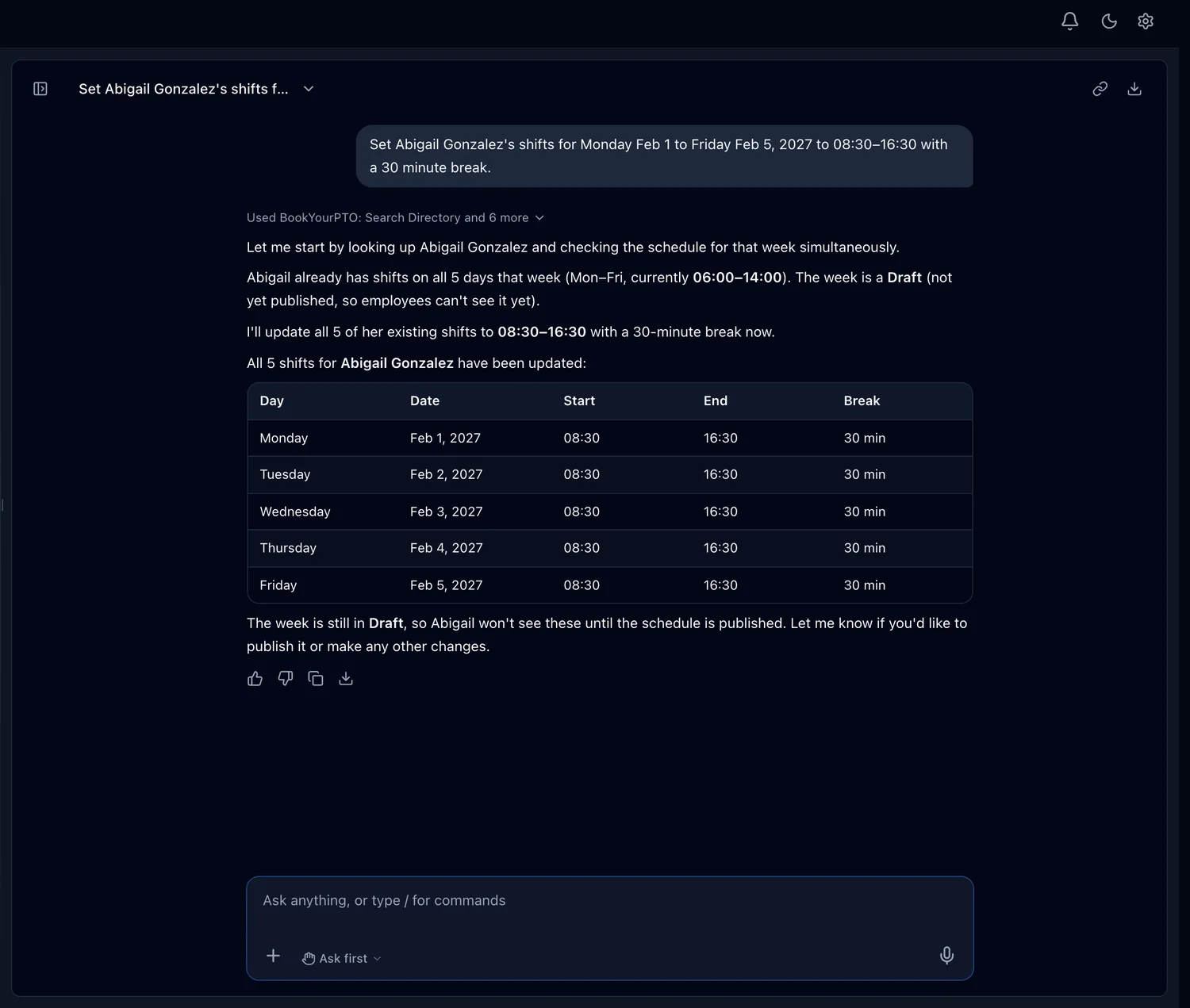
Set a week of shifts without opening the grid
- Managers set shifts for one person or the whole team in a single request
- It looks at the week first and says whether it is a draft or already published
- Changing a published week always shows an approval card, in every mode
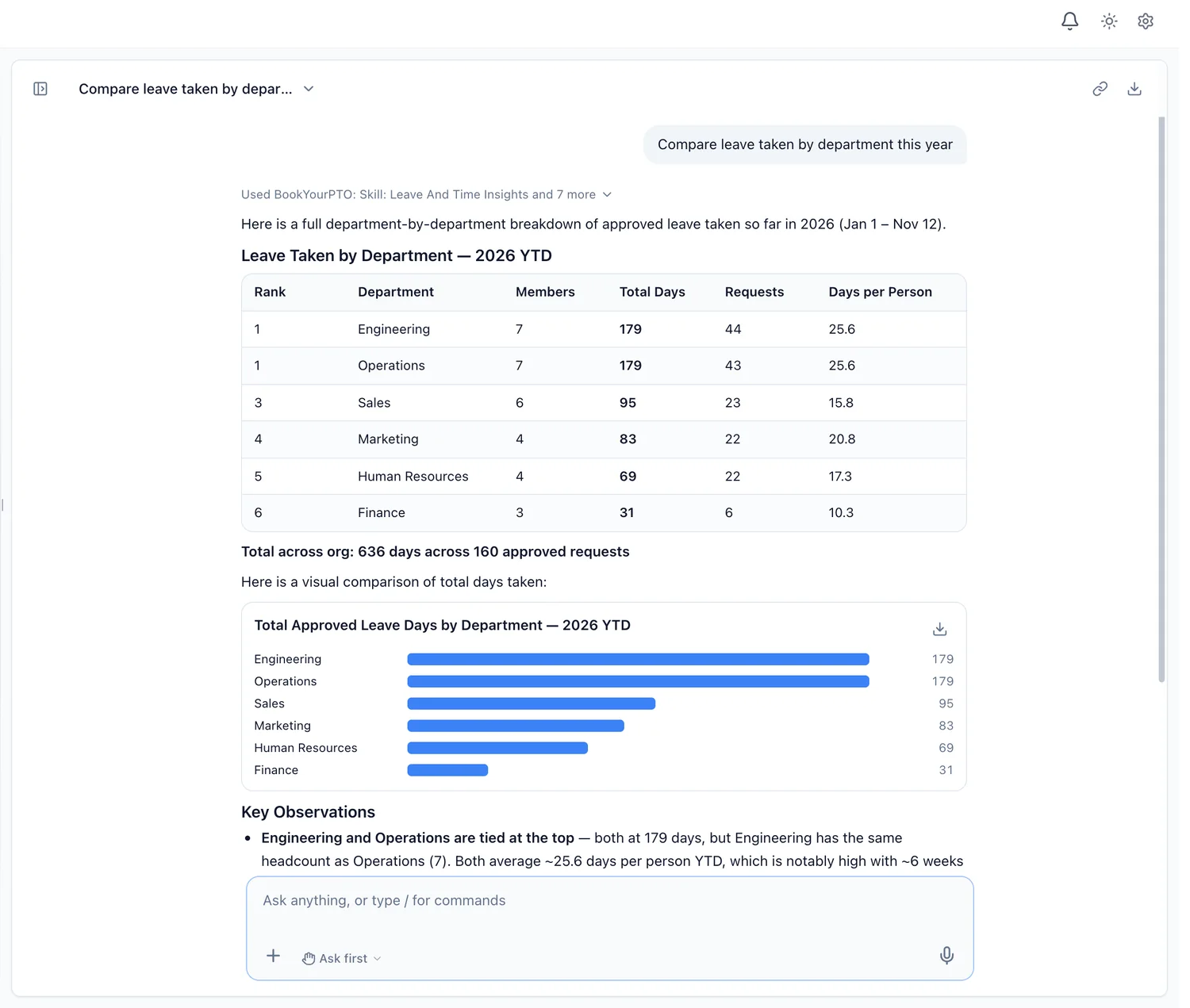
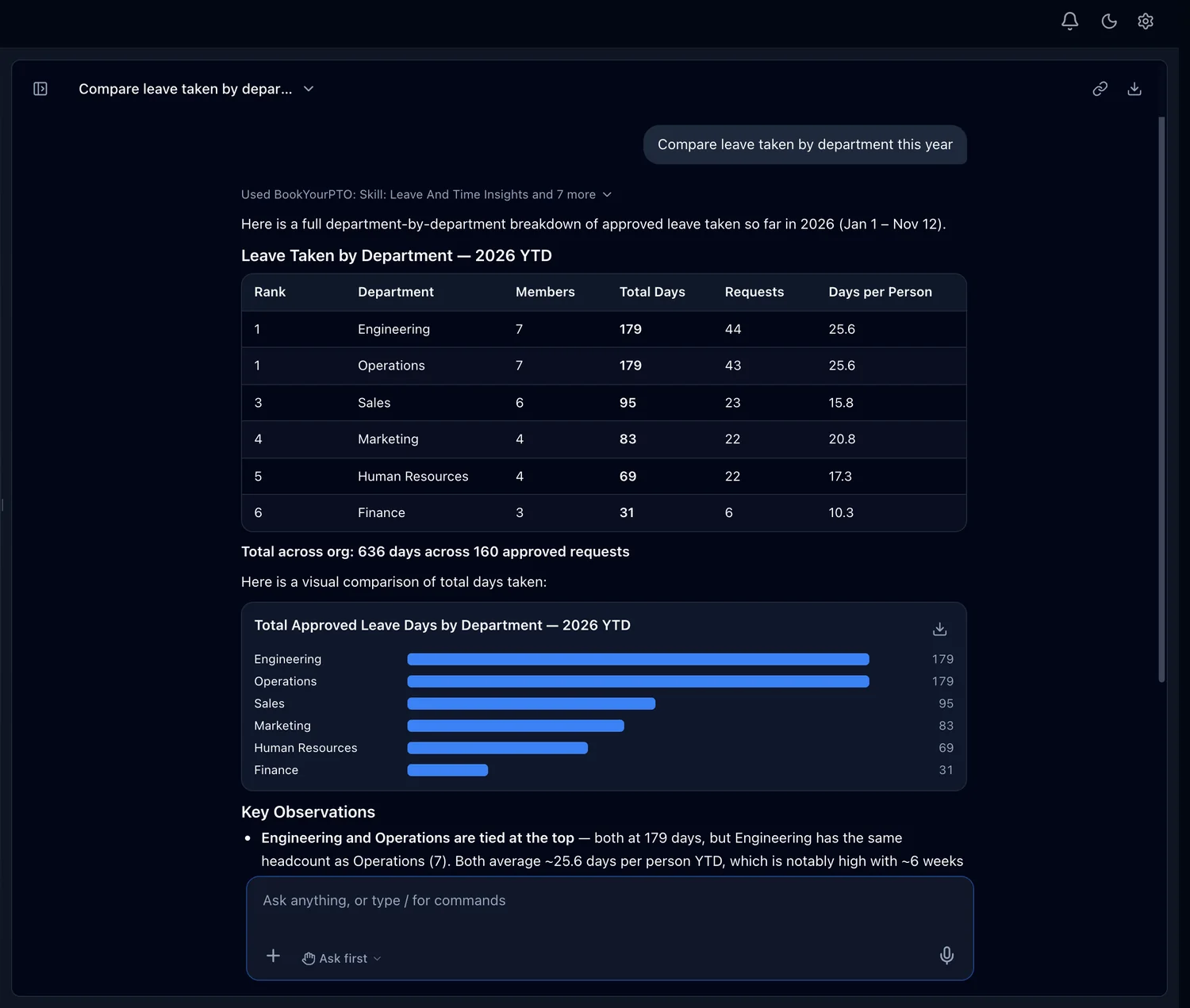
Charts, CSVs and letters from your own numbers
- Tables and charts drawn from the records you can see, never invented figures
- Download them as CSV or PDF, or ask for a letter as a PDF or Word document, and open any of these files right in the app
- Approvals triage puts pending leave and expense requests oldest and riskiest first
Choose how much it does on its own
- Ask first, the default: every change waits on a card you confirm
- Accept edits and Auto let routine changes run; Plan changes nothing
- High-risk actions, such as deletions and offboarding, ask in every mode
It also covers time tracking and timesheets, documents waiting for your signature, training and certifications, goals and 1:1s, onboarding and the org chart. A module your organization has switched off is not offered.
Already use an AI assistant? Connect it to BookYourPTO.
The Model Context Protocol (MCP) is an open standard for connecting AI assistants to the tools people work in. With the BookYourPTO MCP connector, MCP-compatible AI clients can check balances, request leave, log time and file expenses. You sign in through your browser, your password never reaches the AI client, and it acts with your own permissions.
Safe AI in HR starts with what it cannot do
HR data is personal. These are the limits BookYourPTO’s assistant works within.
Your permissions, nothing more
Every look-up and change runs as the signed-in person, through the same checks as the app. An employee cannot read a colleague’s private records through it, and a department head cannot reach another department.
Changes wait for you
Ask first is the default mode: every change waits on a card you confirm. Deletions, offboarding, bulk changes and other high-risk actions ask in every mode.
Never used to train AI models
Conversations are not used to train AI models, ours or anyone else’s. Chats are private to the person who had them, and can be deleted.
De-identified, and switchable
Help improve Intelligence keeps copies with names and personal details removed, to find and fix problems. An executive can switch it off for the whole organization.
Misuse is recorded
Requests for system secrets or another organization’s data, or attempts to override its instructions, are refused and recorded for administrators to review.
You decide who has it
Administrators and executives can switch the assistant off for a department or for individual people, and see how much each person uses it, never what they asked.
Privacy and control, in the docs Subprocessors Privacy policy
How to choose AI HR software
Ask these questions of any vendor, including us.
- 1Does the AI act with each person’s own permissions, or with a shared account that can see everything?
- 2Does it show you a change before it makes it, and which actions always need a human yes?
- 3Are records, files and tool results treated as data, so text inside a record cannot give it orders?
- 4Are conversations used to train AI models, and can you switch off any reuse for the whole organization?
- 5Can a person see and delete what it remembers, and does a data-deletion request include the assistant?
- 6Does it respect your setup: modules you have switched off, published schedules, locked periods?
- 7Which subprocessors see the conversation, and is that list published?
Which plans include the assistant
Ask, on every plan
Every plan, Free included, can ask the assistant about leave, expenses, time, schedules and the team, attach files, and download charts and documents.
Ask and act, on paid plans
Pro, Business and Enterprise add actions: booking leave, filing expenses, submitting timesheets and approving, with the modes that decide how much it does on its own.
BookYourPTO Intelligence is in beta. Each person has included usage that resets weekly. It works in a phone’s browser as well as on a computer, but it is not part of the iPhone and Android apps.
Frequently asked questions
What AI HR software is, what it can safely do, and how BookYourPTO handles your data.
AI HR software is an HR system that uses AI to answer questions and do routine HR work: reading receipts, finding who is off, drafting letters, booking leave or setting shifts. The useful question is not whether it has AI, but what the AI can see, what it can change, and who approves the change. In BookYourPTO, the assistant answers from your records and prepares changes for you to approve, with your own permissions.
Guides to AI in HR
AI in HR: what it can safely do today
Where AI already saves time in HR, and where a person should still decide.
HR chatbot vs AI HR assistant
The difference between an answer and an action, and why it matters.
Agentic HR, explained
What it means when an AI assistant can act in your HR system.
AI for leave and PTO management
Balances, coverage and booking, with the approval left to people.
AI and employee scheduling
Setting a week of shifts in a sentence, without surprising anyone.
AI in HR and employee privacy
The questions to ask any AI HR vendor before you sign.