AI in HR: What It Can Safely Do Today, and Where People Should Decide
A practical look at AI in HR: the jobs it already does well, the decisions it should leave to people, and how to tell a safe AI HR tool from a risky one.
The short answer: AI in HR is most useful for the work around decisions, not the decisions themselves. It can find records, fill in forms, read receipts, check who is off and draft letters in seconds. Decisions that affect someone's job, pay or standing should stay with a person, and any AI that changes records should do so only with the permissions of the person using it, after they approve the change.
AI has moved quickly from a feature on vendor slides to something HR teams use every week. SHRM's 2025 Talent Trends research reports that "AI adoption in HR tasks climbed to 43% in 2025, up from the 26% reported by HR professionals in 2024." The question for most teams is no longer whether to use AI, but where it helps and where it creates risk.
This guide is written for small and mid-size organizations, where the person running HR is often also running payroll, operations or the business itself.
Where AI already helps in HR
The jobs AI handles well have three things in common: the information already exists in your systems, the result is easy for a person to check, and a mistake can be corrected before it matters.
Finding the answer that is already there
Most time in an HR tool is spent looking for something: a leave balance, a pending claim, next week's rota, who is away on Friday. A good AI assistant answers these in a sentence because it reads the same records the screens do. "Who's off this week?" becomes a table of names, leave types and dates instead of a calendar filter.
This is the safest place to start. Nothing changes, and the answer can be checked against the record it came from.
Turning documents into data
Reading a receipt is a classic AI task. A model reads the vendor, the date, the taxes and the total from a photo or PDF, and fills in the expense instead of you typing it. The same idea applies to pulling dates from a doctor's note or figures from a statement. The person still reviews the result before submitting it. We cover this in more detail in How AI Receipt Scanning Is Changing Expense Management.
Doing routine changes on request
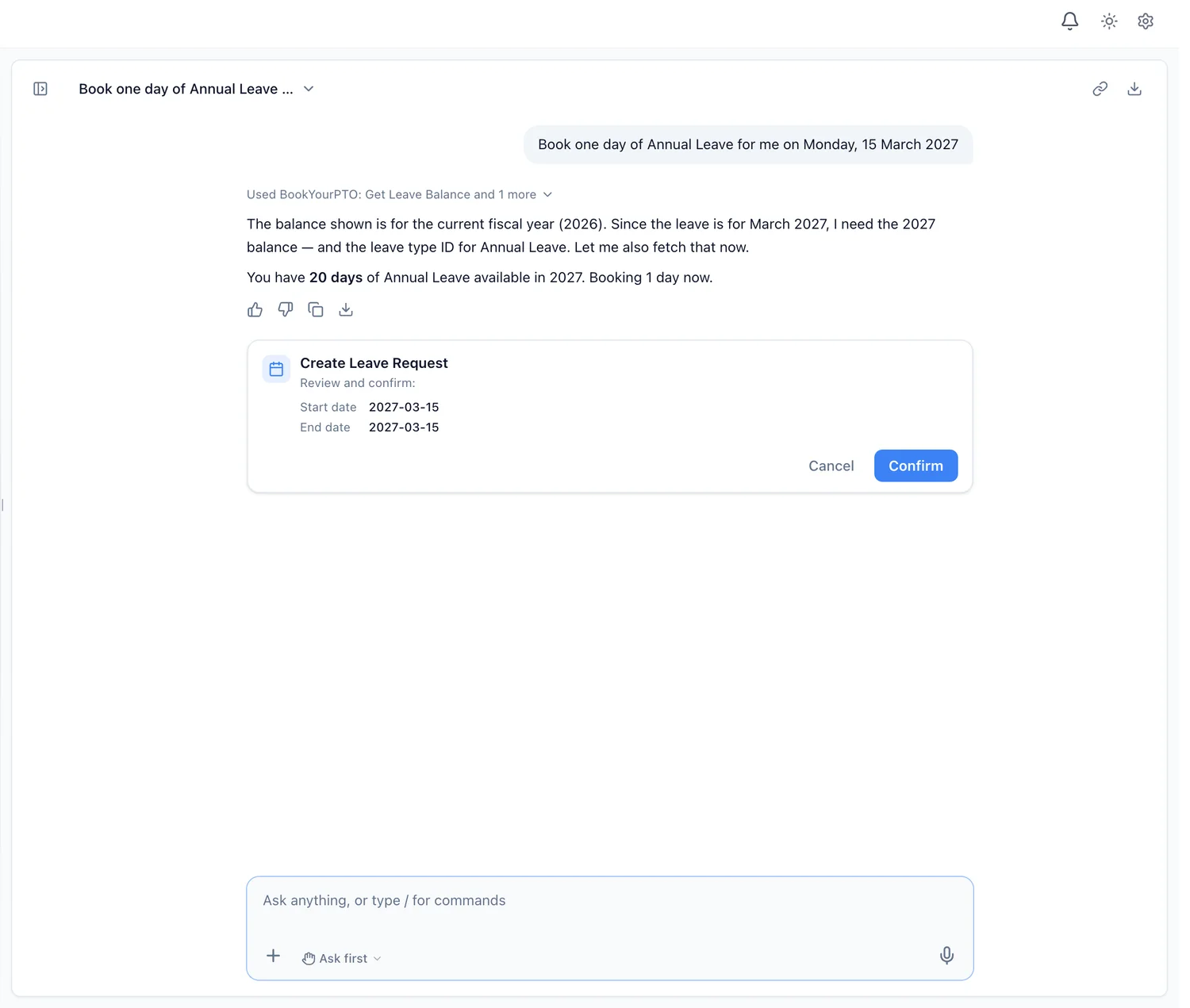
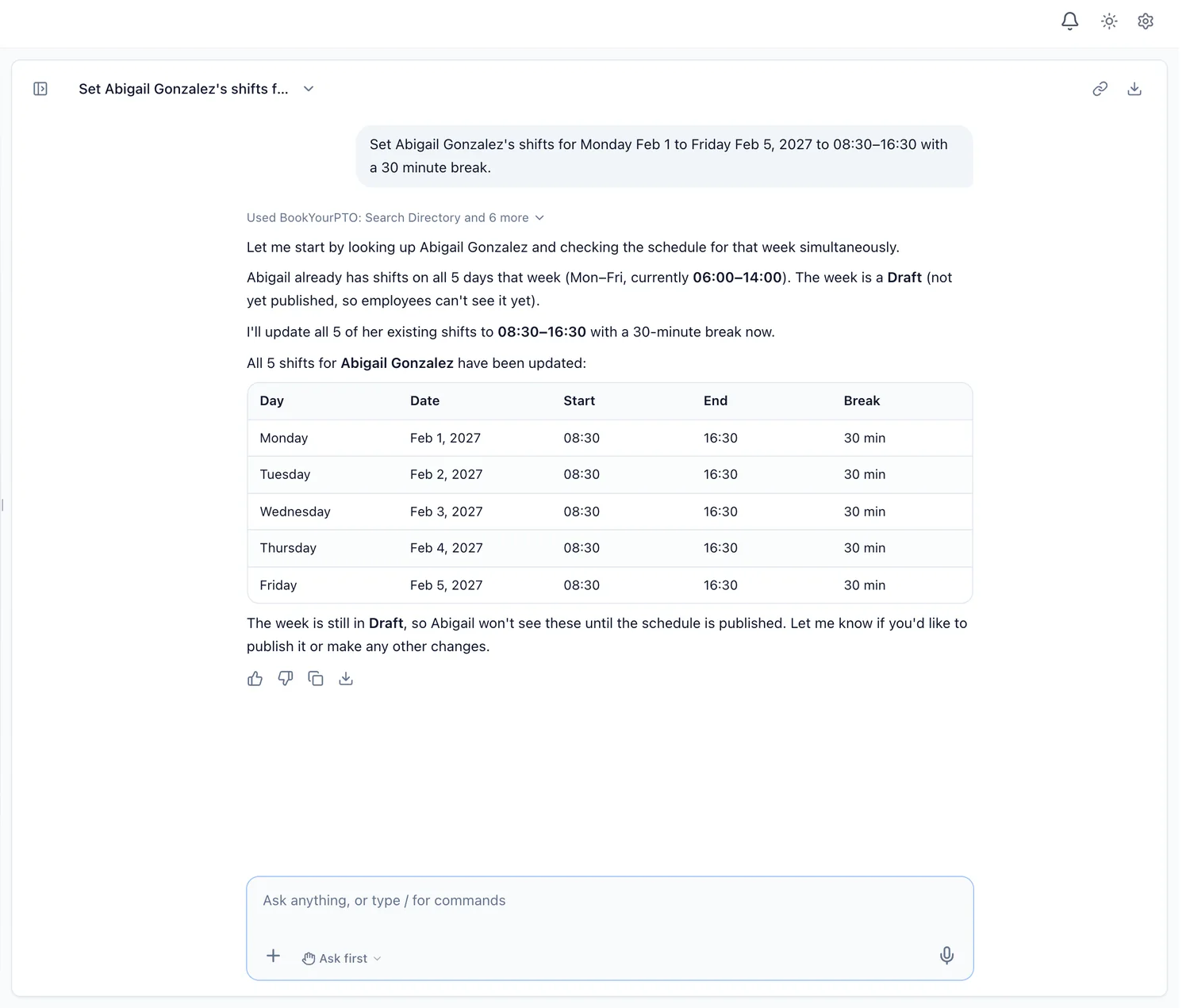
This is where AI in HR has changed most recently. Instead of telling you which screen to open, an assistant can prepare the change itself: book a day of annual leave, add an expense line, submit a timesheet, set a week of shifts. Done well, it shows you exactly what it is about to do and waits for your approval. We explain the difference between this and a question-and-answer chatbot in HR Chatbot vs AI HR Assistant.
Summaries, charts and drafts
AI is good at turning records into something a person can read quickly: leave taken by department as a chart, the people with the most overtime as a ranked table, an employment confirmation letter as a draft. The rule that matters is that the numbers come from your records, not from the model's imagination. An assistant should look the figures up, then draw the chart from what it found.
Helping managers triage
Managers often face a queue of leave requests, expense claims and timesheets. AI can sort that queue, put the oldest first, and point out what deserves a closer look: overlapping time off on the same team, a claim without a receipt, an unusual amount. It should state the facts and leave the decision to the manager.
Where people should still decide
Some HR work should not be handed to AI, however capable it becomes.
Decisions about someone's job
Hiring, promotion, discipline, performance ratings and termination affect people's livelihoods. Regulators treat them seriously. The EU AI Act lists, among its high-risk uses in the area of "Employment, workers' management and access to self-employment", "AI systems intended to be used to make decisions affecting terms of work-related relationships, the promotion or termination of work-related contractual relationships, to allocate tasks based on individual behaviour or personal traits or characteristics or to monitor and evaluate the performance and behaviour of persons in such relationships" (Annex III, AI Act Service Desk).
In Canada, the Office of the Privacy Commissioner's principles for generative AI call for particular care "where they are used as part of an administrative decision-making process (whether or not that process is fully automated) or in highly impactful contexts such as health care, employment, education" and other areas.
That does not mean every AI feature in an HR system is high-risk. Answering "how much leave do I have left?" is very different from ranking employees for a layoff. It does mean that the more an AI output affects someone's job, the more a person should own the decision.
Anything that cannot be undone
Deleting a record, offboarding a person, sending a document for signature to the whole company: these are hard or impossible to reverse. An AI assistant should never do them without an explicit human yes, whatever setting it is in.
Sensitive conversations
An employee asking about medical leave, a grievance or a pay dispute deserves a person. AI can help that person find the policy and the record. It should not be the one having the conversation.
How to tell a safe AI HR tool from a risky one
Most AI HR software looks similar in a demo. The differences show up in four questions.
- Whose access does the AI use? The safe answer is: only the signed-in person's own permissions. If an employee cannot open a colleague's salary on the screen, they should not be able to ask the AI for it either. A shared service account that can see everything turns every chat window into a way around your access rules.
- Does it ask before it changes anything? You should see the exact change, such as the dates, the leave type and the amount, before it happens. Some tools let you relax this for routine edits; the riskiest actions should always ask.
- Does it treat records as data or as instructions? Text inside a document or a record should never be able to give the AI orders. This is a real attack, usually called prompt injection.
- What happens to the conversations? Are they used to train AI models? Can people delete them? Can you switch off any reuse for the whole organization? We list the questions to ask in AI in HR and Employee Privacy: Questions to Ask Any Vendor.
How BookYourPTO approaches AI in HR
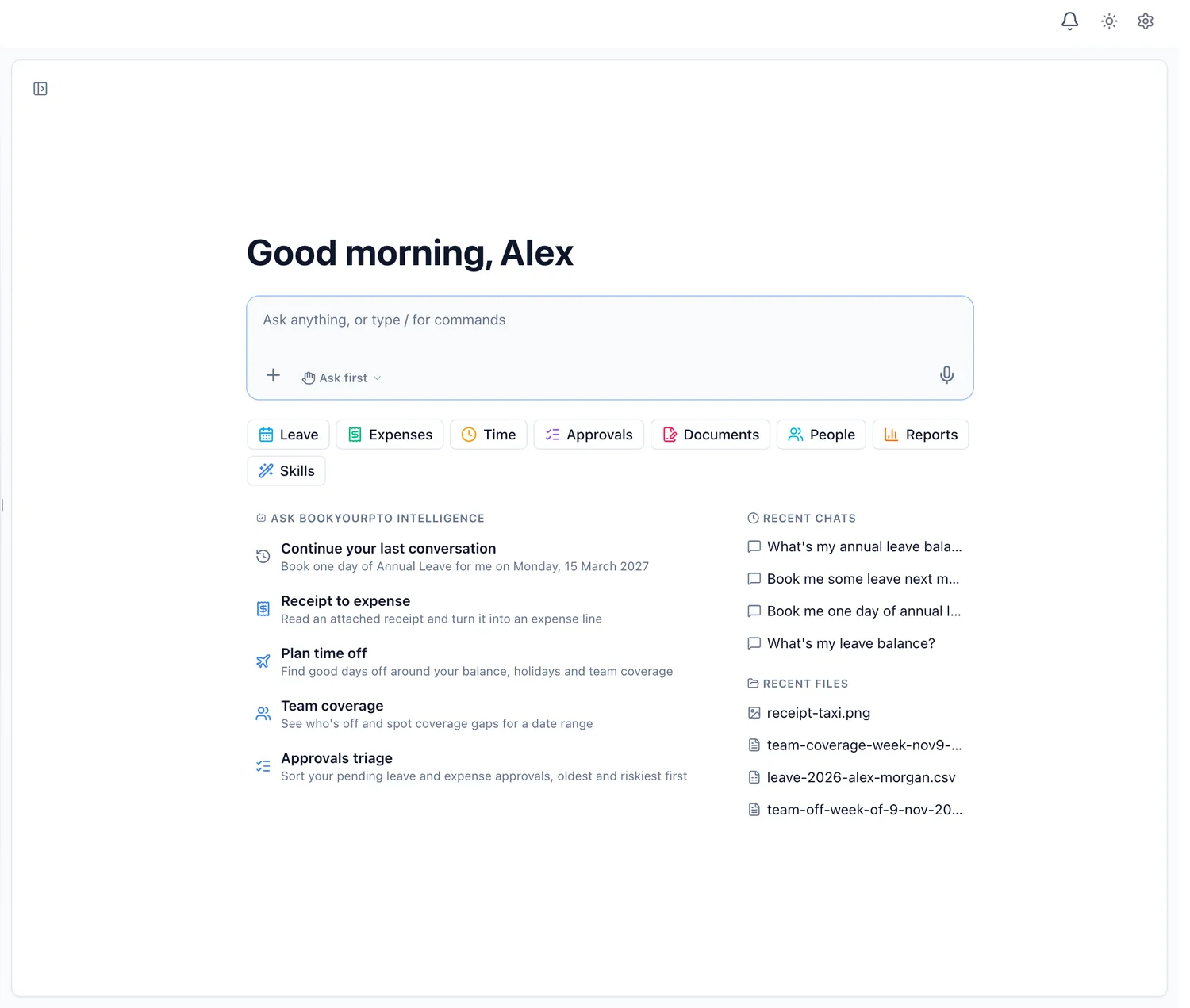
BookYourPTO uses AI in two ways. The Expenses page scans receipts and fills in the vendor, date, currency, taxes and total. And BookYourPTO Intelligence, the assistant built into the app, answers questions and takes actions across leave, time tracking, schedules, expenses, documents, approvals and people.
It follows the rules above:
- It acts as you. Every look-up and every change runs with the signed-in person's own permissions, through the same checks as the app's pages.
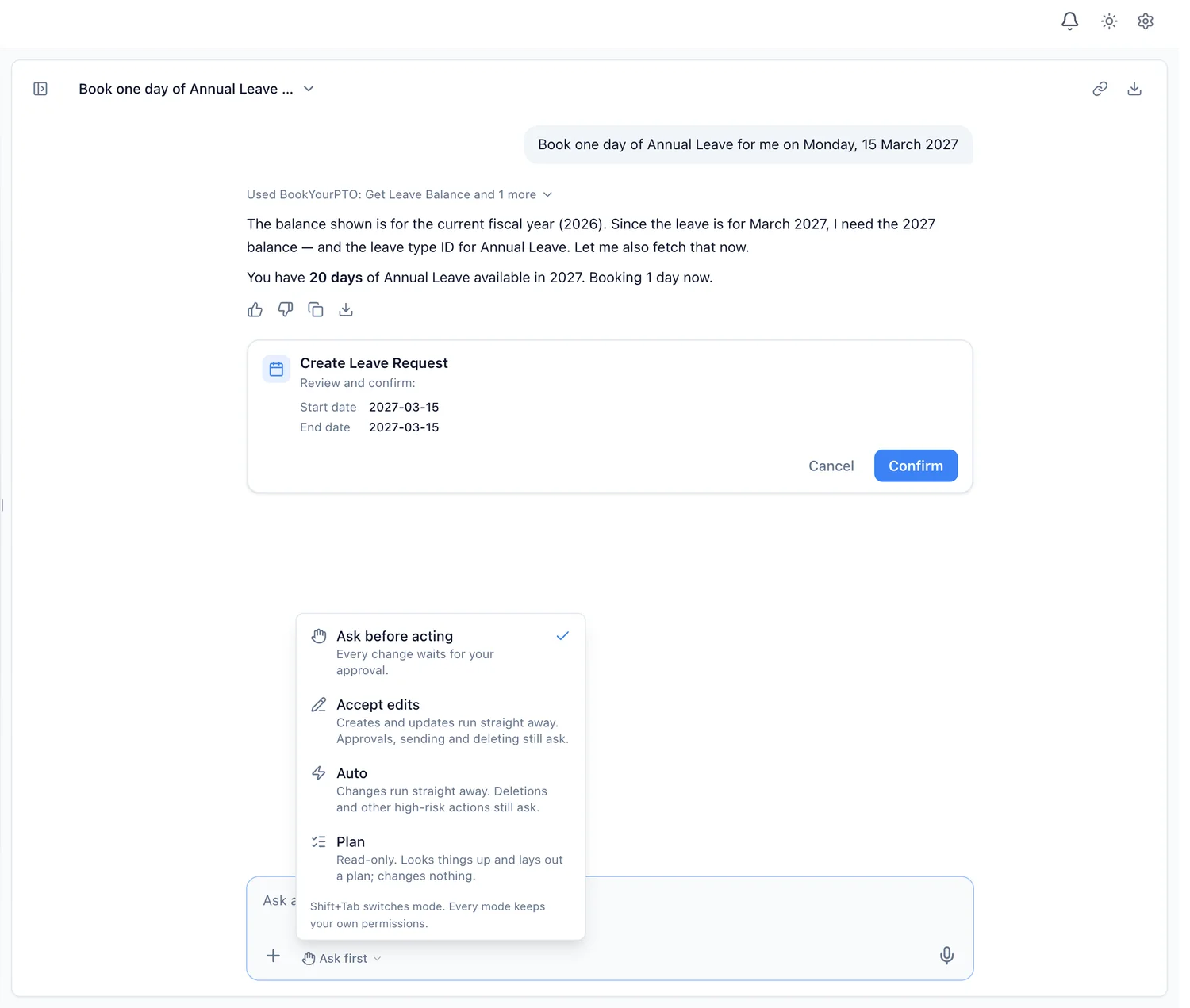
- Changes wait for your approval by default. In Ask first mode, every change arrives as a card you confirm or cancel. Accept edits and Auto let routine changes run; Plan changes nothing. Deletions, offboarding, bulk changes and other high-risk actions ask in every mode.
- It stays inside BookYourPTO. It refuses questions about anything else and treats what is written in records, files and tool results as information, never as instructions.
- It does not decide for managers. The approvals skill states facts, such as overlaps and missing receipts, and leaves the decision to the person.
- Conversations are not used to train AI models.
Questions are available on every plan, including Free; actions are on Pro, Business and Enterprise. For an overview of the category, see our guide to AI HR software.
Where to start
If your team has not used AI in HR yet, start with questions. Ask about balances, who is off and what is pending. Check the answers against the screens for a week. Then let it prepare routine changes, such as leave requests and expense drafts, with approval on every one. Widen what it does on its own only once you trust what it prepares.
The goal is not to remove people from HR. It is to give them back the time they spend finding things, so they can spend it on the parts of the job that need a person.
Written by
AnHourTec Team